
How to file business tax extension online for free?
Step 1: Create an EZExtension account or login to your existing account
Step 2: Complete the 7004 form by inputting business and tax details.
Step 3: Download your completed PDF for your records or choose to e-file it.
If you’ve been wondering where to prepare a business tax extension online, this guide walks you through it. Use our step-by-step guide to help you file Form 7004 online free.
What Is IRS Form 7004 & Who Needs It?
Form 7004 is used to request an automatic extension of time to file certain business income tax, information, and other returns.
It must be filed by an entity that files an eligible business tax return, such as:
- C-Corps
- S-Corps
- Partnerships
- Multi-member LLCs
- Estates & Trusts
This extension does not extend the time to pay tax. You still need to pay any tax due by the original due date to avoid penalties and interest.
If Form 7004 is completed properly, filed by the due date, and any required tax is paid, the extension is automatic.
Checklist – Details You’ll Need Before You Start Filing An Extension
Before you learn how to file Form 7004 electronically, you’ll need to have the following details handy:
- EIN (Employer Identification Number) and the legal business name to identify the entity
- Dates showing when the tax year starts and ends for your business.
- IRS return code that corresponds to the business tax form you are applying an extension for. (e.g., Use Code 25 for Form 1120-S)
- Your tentative tax due and any payments already made, if applicable.
- Officer’s name and title
How to Fill Form 7004 Free with EZ Extension
If you are not sure how to prepare Form 7004 online, here is a step-by-step guide using EZExtension.
An IRS-authorized filing extension platform, EZExtension, helps your business generate and file error-free Form 7004 for automatic business tax filing extensions. EZExtension helps your business prepare a fillable Form 7004 PDF with built-in validation and error-checking features to guide users through the filing process.
Step 1: Sign up/Log in
Create an account on EZExtension using your email and password or log in using Single Sign-On (SSO) options like Google or Intuit for quicker access.
Step 2: Enter Business & Tax Information
Enter the legal business name, EIN, business address, tax year details, and any other required filing information.
Input the tax year, mention any tentative tax due (if applicable), and select the correct IRS return code.
Step 3: Review the form
Run a comprehensive audit on your completed form using our AI-powered scan technology to flag any errors, inconsistencies, or missing fields.
Step 4: Download PDF
Download a completed PDF for your records, or choose to e-file directly with the IRS. (recommended for faster filing)
Inline CTA button: Generate My Free PDF
Paper vs E-file (Why Upgrade to EZExtension?)
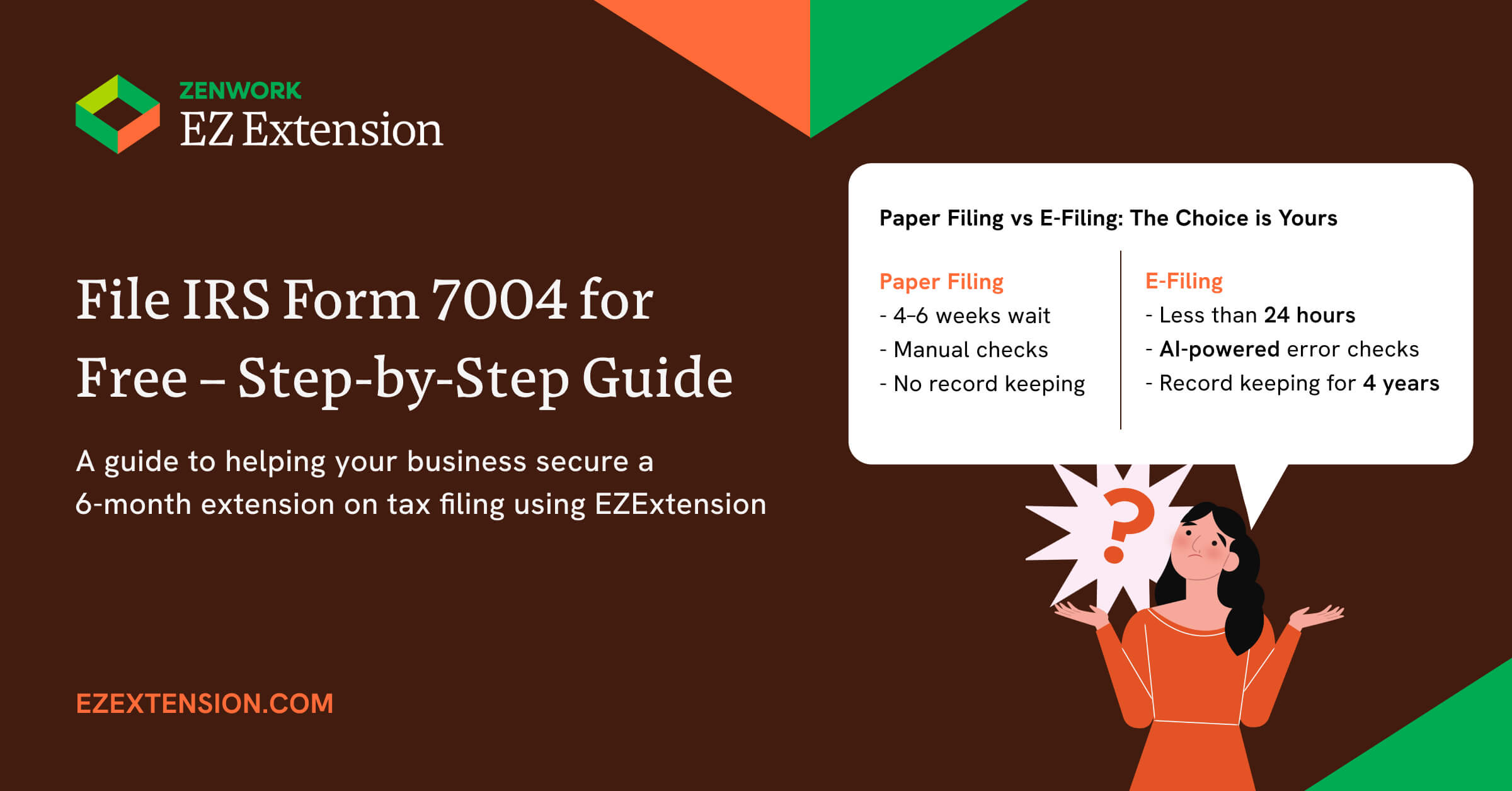
Instead of stressing over choosing either paper filing or e-filing, we are here to make it easier for you by comparing the two methods to file business tax extension online free.
| Feature | Paper Filing | E-File with EZExtension |
|---|---|---|
| Speed | 4 to 6 weeks | Typically faster than paper filing |
| Proof | USPS mailing receipt | IRS-stamped PDF in inbox |
| Cost | Postage + Printing Cost | $9.99 |
| Error-Checking | None or Manual | Built-in error checks before submission |
IRS Deadlines & Late-Filing Penalties
Form 7004 must be filed by the original due date of the tax return for which you are filing the extension. This generally gives you an automatic extension to file, usually 6 months, though exceptions apply for some returns.
| Business Entity Type | Original Due Date | If Form 7004 Filed (6-month extension) |
|---|---|---|
| S-Corporations | March 17, 2025 | September 17, 2025 |
| C-Corporations | April 15, 2025 | October 15, 2025 |
| Partnerships | March 17, 2025 | September 17, 2025 |
| Estates and Trusts | April 15, 2025 | October 15, 2025 |
| Tax-Exempt Organizations | May 15, 2025 | November 15, 2025 |
Where & How to Send Form 7004 (Only for Paper Filing)
If you choose to file by mail 7004 to the IRS, instead of the e-filing, you will need to find the correct mailing address for Form 7004 extension. The IRS mailing address will differ based on:
- The type of tax return you are requesting an extension for
- The state where your business or entity is located
- The total asset value at the end of the tax year
Why EZExtension Is the Best Free E-file Form 7004 Option in the Market
Free PDF generator
Get access to free IRS Form 7004 fillable PDFs where you can make unlimited edits and re-download the form as many times as needed before submission.
Guided UI
We don’t use complicated IRS jargon, instead, we offer a guided filing process with auto-selection of IRS form codes.
AI error audits
We use AI-driven validation to check your entries before submission to flag any missing details.
Multi-business dashboard
Our centralized dashboard lets you prepare, file, and track extension requests for different entities all in one place.
Free extension
Besides the free filing extension, we also offer an optional $9.99 e-file upgrade to e-file directly with the IRS.
FAQs
1.What types of forms are covered under 7004?
- Form 7004 covers most business tax returns, including:
- Form 1120 series for C-corporations
- Form 1120-S for S corporations.
- Form 1065 for partnerships and multiple-member LLCs
- Form 1041 for estates and trusts
2.Where can I get a fillable Form 7004?
You can get a fillable Form 7004 PDF for free right here on this site, EZExtension.
3.Where do I mail Form 7004?
If you choose to paper file Form 7004, You need to send the form to the correct IRS mailing address listed in the current Form 7004 instructions for your return type and location. You can use our Mailing Address Lookup Tool to see the closest IRS center.
4.Does Form 7004 extend my payment deadline?
No, filing Form 7004 does not extend the tax payment deadline. You are still required to pay all your estimated taxes owed.
5.Can I e-file after I download Form 7004 PDF?
Yes, you can still e-file after you download Form 7004 PDF. Keep, but align the whole page so it consistently says free preparation + paid e-file option.
6.Will I get IRS confirmation?
No, the IRS has stopped sending confirmation that your extension has been approved. The IRS no longer sends a notice that your extension has been approved. It will notify you only if your request is disallowed. Filing 7004 on time gives you an automatic extension.
Prepare an error-checked Form 7004 in minutes